







SpaceSharp for Windows
- Free
- 4.5
- 12
- V2.5.1
Free Download for Windows
View an ad to download for free

- CC Software
See where your disk space went: the whole drive as a zoomable map
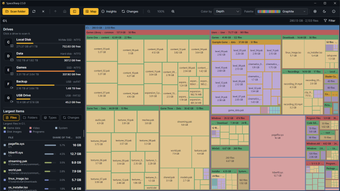
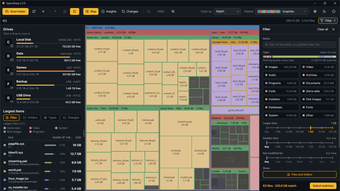
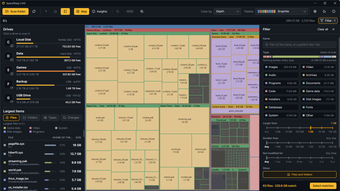
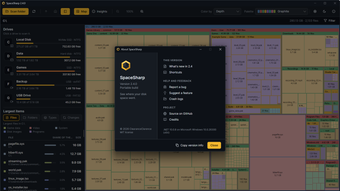
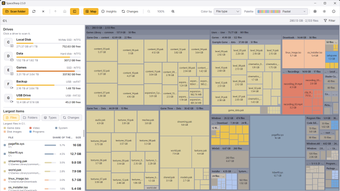
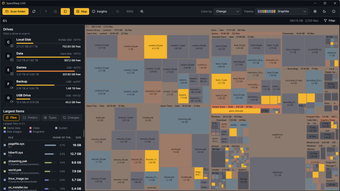
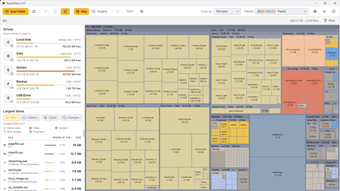
SpaceSharp is a free, open-source disk space analyzer for Windows. It scans a drive or a folder and draws your disk usage as a treemap: every folder is a frame, every file a box sized by the space it takes, so the largest files and folders stand out at a glance and finding what is eating the disk takes a look, not a search. When the C: drive fills up and nothing obvious explains it, SpaceSharp shows you where the space went, what changed since you last looked, and lets you free up space from the map. If you have used WinDirStat, TreeSize, WizTree or the old SpaceMonger, you know the idea.
Key features
Whole drives in seconds: NTFS drives are read straight from the file table, so a drive with a million files is on screen almost at once. Without administrator rights it walks the folders instead, and you watch the map draw itself as the scan runs.
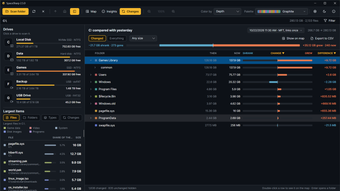
Find what changed: every scan is saved and compared with the one before. The Changes view lays the two out folder by folder: size then, size now, a bar for how much it grew or shrank, and the files that appeared or disappeared. Filter to the big movers, sort any column, export to CSV, or jump to a folder on the map.
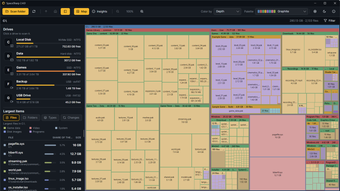
A filter you can see: file types, size and age on scales, and quick filters such as Large files or Untouched for 2 years. The map dims everything that does not match, and plain words like "videos over 500MB older than 1 year" work too.
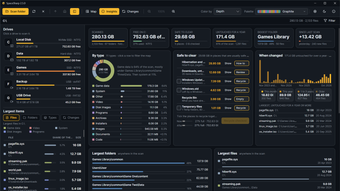
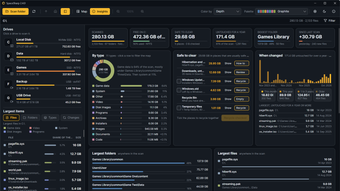
Safe to clear: the Insights view finds temp folders, package and browser caches, the Recycle Bin and old downloads, each with a one-click Recycle, and shows how full the drive would be with them gone. It also breaks the drive down by file type and by when files were last changed.
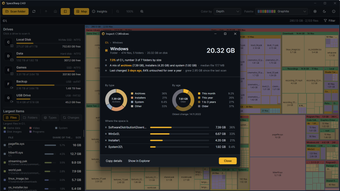
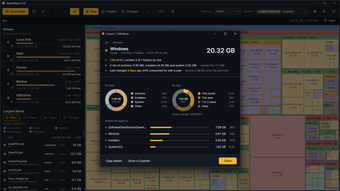
Inspect any item: its share of the drive, what it is made of, how old it is, and the largest things inside.
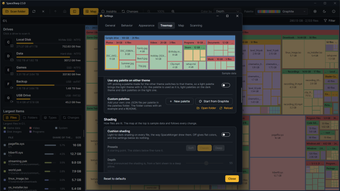
Make it yours: twenty-four palettes including color-blind-safe ones, cushion shading with a live preview, an editor for your own colors, and 18 interface languages.
How it works
Pick a drive on the start screen, which shows your last scan with a ring for how full the drive is now and a note when it has filled up since. Double-click a folder to fly into it, scroll to zoom, drag to pan. Hover a box for its size and path; right-click for Inspect, Open in Explorer, Properties, Copy path, Export to CSV or Move to Recycle Bin. Open the filter with Ctrl+F, and Select matches grabs everything it found so you can send it to the Recycle Bin in one go. Nothing is deleted outright: everything goes through the Windows Recycle Bin, so a mistake is one Restore away.
What's new in version 2.5
The map draws itself while a folder scan runs and settles into the finished picture.
A Changes view replaces the old change color mode: then, now and the difference for every folder, with new and gone files marked.
Ten new palettes and a tabbed picker; any palette can be used on either theme.
Safe to clear shows the drive before and after clearing; the start screen says when a drive has filled up since its scan.
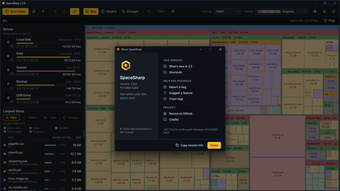
Meters in the status bar, a way to close a scan, a Behavior tab in Settings, a keyboard map that is right for ISO layouts, a new app icon, and a round of fixes.
System requirements and limitations
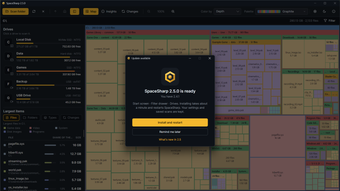
Windows 10 or 11, 64-bit or 32-bit (separate downloads; Windows on ARM runs the 64-bit build through emulation). Nothing else to install: the app is self-contained. Choose the MSI installer, the one-click setup that installs to your profile without admin rights, or the single portable exe. Installed copies update themselves. Every download is code-signed. The fast file-table scan needs administrator rights and NTFS; other drives and folders use the slower folder walk. Everything is free and complete: there is no premium version, no account, no ads, no telemetry and no network use beyond the update check. The source is on GitHub under the MIT license.
Loading…


App specs
Developer
- CC Software
License
Free
Version
Latest update
Platform
Windows
OS
Windows 11
Language
English
Available languages
- Spanish
- English
- French
- German
- Italian
- Portuguese
- Russian
- Dutch
- Polish
- Chinese
- Turkish
- Arabic
- Korean
- Japanese
- Swedish
- Danish
- Norwegian
Downloads
12
Last month's downloads
- 12
Size
47.97 MB
SpaceSharp for PC
- Free
- 4.5
- 12
- V2.5.1
Free Download for PC
View an ad to download for free
User reviews about SpaceSharp
Have you tried SpaceSharp? Be the first to leave your opinion!
Add reviewTop downloads File managers for Windows
Top downloads File managers for Windows
Top downloads File managers for Windows
Latest articles

DCU Batman casting gets a James Gunn update: Alan Ritchson looks a longer shot

Lockwood & Co. is still on Netflix: a solid Stranger Things fix

Apple Maps now blurs some U.S. military and space sites

Dead-End Job hits Netflix: breakout horror is streaming now

Neura opens a ‘robogym’ for humanoid robots: training for real-world work
Laws concerning the use of this software vary from country to country. We do not encourage or condone the use of this program if it is in violation of these laws. Softonic may receive a referral fee if you click or buy any of the products featured here.